The Invisible Employee: Why Your Business Needs Agents, Not Just AI Tools
There is a strange kind of inefficiency hiding inside a lot of "AI-enabled" businesses.
The team is using AI every day, but the work still feels manual.
Someone opens a chat tool. Writes a prompt. Waits. Copies the output. Edits it. Pastes it into a document. Moves it into the CRM. Sends a message to the team. Updates a spreadsheet so the reporting does not break.
The AI helped with one part of the task, but the person still carried the workflow.
That is the difference between an AI tool and an AI agent.
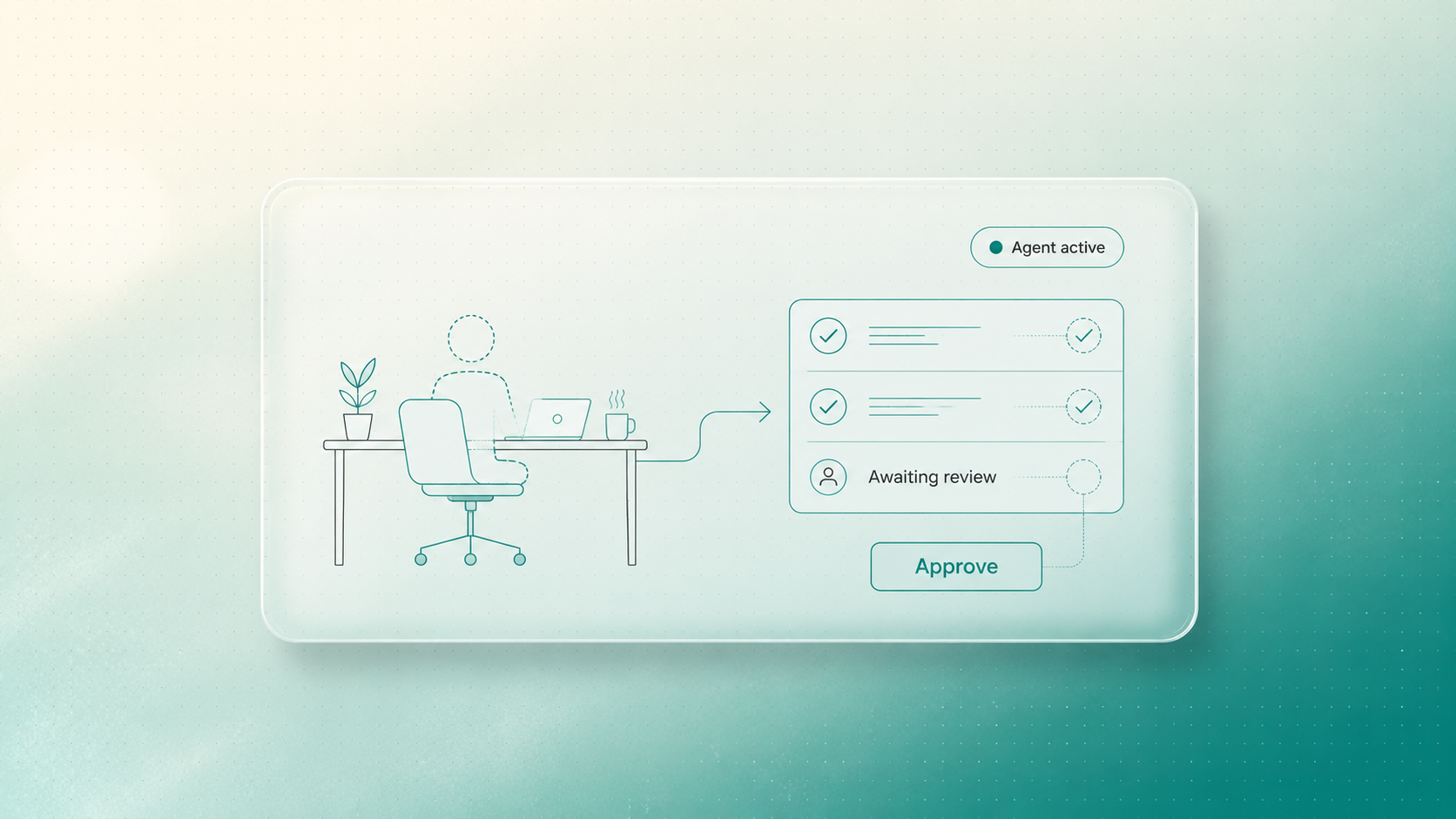
An AI tool waits for a person to operate it. An AI agent is designed to move a defined workflow forward in the background, using your rules, your data, and your approval points. The best agents do not remove human control. They remove the repeated digital labour around human control.
The problem with prompt-based productivity
Prompting is useful. It is also limited.
When a team uses AI only through a chat window, the human still has to do most of the operational work:
- Notice that something needs to happen.
- Gather the context.
- Decide what to ask.
- Copy information into the tool.
- Check the answer.
- Move the output into the next system.
- Tell the right person what changed.
That is why many companies feel a burst of excitement with AI, then quietly plateau.
The model is powerful, but the workflow around it is still manual.
If the person has to carry the work from step to step, AI becomes a faster typewriter. Helpful, yes. Transformational, not yet.
What an agent changes
An agent begins with a workflow, not a blank prompt.
Take a new inbound lead.
In the tool version, someone reads the enquiry, researches the company, checks the CRM, asks AI to draft a reply, edits it, logs the activity, and reminds the team to follow up.
In the agent version, the system watches for the enquiry, gathers the relevant context, checks the CRM, prepares a lead summary, drafts a response, logs the activity, and sends the team a clear review prompt.
The human still decides what goes out.
The difference is that the human is now reviewing prepared work instead of assembling it from scratch.
That shift matters. It moves the team from operating software to managing outcomes.
Agents are not just "more automation"
Basic automation follows a rigid instruction:
When this happens, do that.
That is useful for simple tasks. But many business workflows need more context than that. A lead from a priority account should not be handled the same way as a student enquiry. A support ticket from an existing client should not be routed like a generic website question. A proposal draft should use the right service logic, proof points, tone, and approval path.
Agents sit in the middle ground between simple automation and human execution.
They can gather context, classify information, draft outputs, trigger next steps, and stop when judgment is required.
The stopping point is important.
The agent should know where autonomy ends.
Three levels of AI maturity
One way to make the decision clearer is to look at AI maturity in three levels.
Level 1: Assisted work
A person uses AI to complete part of a task. They write the prompt, provide the context, copy the answer, and move the output wherever it needs to go. This is where most teams start, and it can be useful for drafting, summarizing, and ideation.
Level 2: Connected automation
The workflow begins to connect systems. A form submission can create a task. A CRM update can trigger a notification. A report can pull from a data source. This removes some handoffs, but the logic is usually still simple and rigid.
Level 3: Agent-supported workflows
The system can gather context, interpret the situation, prepare the next step, and ask for review at the right moment. The human is no longer carrying every step manually. They are supervising the workflow, handling exceptions, and making the decisions that still require judgment.
Most businesses do not need to jump straight to full autonomy. They need to move from assisted work toward agent-supported workflows in the places where manual coordination is already slowing them down.
The human approval layer is the business model
The fear around agents is understandable.
No serious operator wants an unsupervised system making promises to customers, sending inaccurate proposals, or changing business records without review.
That is why the strongest agent workflows are not built around blind autonomy. They are built around controlled autonomy.
The agent can do the background work:
- Find the relevant files.
- Summarize the context.
- Check the rules.
- Draft the message.
- Prepare the record.
- Flag missing information.
Then it pauses.
A human reviews, edits, approves, rejects, or escalates.
This is not a weakness in the system. It is what makes the system usable in a real business.
Your team should not have to pedal the bike. But they should still hold the handlebars.
Where agents usually make sense first
Agents are strongest when the workflow is frequent, context-heavy, and reviewable.
Good early candidates include:
Lead response preparation
The agent enriches the lead, checks fit, summarizes context, drafts a reply, and creates a task for the right person.
Client onboarding
The agent gathers missing materials, turns sales notes into a kickoff brief, assigns internal next steps, and flags anything incomplete.
Support triage
The agent categorizes incoming tickets, checks past customer context, drafts a suggested response, and routes urgent issues to a human.
Internal reporting
The agent pulls updates from different systems, summarizes changes, highlights exceptions, and prepares a management-ready note.
Content operations
The agent takes approved source material, creates first-pass adaptations for different channels, and sends them into a review flow.
These are not science-fiction use cases. They are normal business workflows with too much manual coordination.
When an agent is the wrong answer
Not every workflow needs an agent.
If the task is simple, predictable, and does not require context, basic automation may be enough.
If the process is unclear, politically sensitive, or full of exceptions nobody understands yet, an agent may be premature.
If the business cannot define what good output looks like, AI will not magically create that standard.
This is where many agent projects go wrong. They start with the excitement of autonomy instead of the discipline of workflow design.
Before building an agent, you need to know:
- What starts the workflow?
- What context does the agent need?
- Which systems can it read or update?
- What should it never do without approval?
- Who reviews the output?
- What does success look like?
If those answers are vague, the first job is diagnosis, not deployment.
From active labour to system management
The real value of agents is not that they make people irrelevant.
It is that they change what people spend attention on.
Instead of pushing information through systems, your team reviews prepared work. Instead of rewriting the same follow-up, they improve the conversation. Instead of chasing every missing field, they handle the exceptions that actually need judgment.
That is a better use of skilled people.
It is also a better way to scale. Growth should not require every workflow to create more manual coordination at the same rate. Well-designed agents let the background work expand without burying the team in extra clicks.
How WhatanAidea helps
At WhatanAidea, we do not start by asking, "Where can we add an agent?"
We start by finding the workflows where an agent would genuinely reduce drag without increasing risk.
Then we design the rules, context, approval points, and handoffs around the way your business actually works. Sometimes that means an agent. Sometimes it means a simpler automation. Sometimes it means fixing the process first.
The goal is not to make your business sound more AI-enabled.
The goal is to build invisible support around your team so the right work moves faster, cleaner, and with less manual effort.
If your team is still prompting, copying, pasting, and updating records by hand, there may be a workflow ready for an agent.
Tell us the one process your team keeps operating manually. We will help you decide whether it needs a tool, an automation, or a properly designed agent.
Common questions about AI agents
What is the difference between an AI tool and an AI agent?
An AI tool usually waits for a human prompt and helps with one task. An AI agent is designed around a workflow. It can monitor a trigger, gather context, prepare an output, update systems, and pause for human approval when needed.
Do AI agents act without human control?
They should not, at least not in sensitive business workflows. A responsible agent design includes approval points, limits, escalation rules, and clear boundaries around what the agent can and cannot do without human review.
What should a business automate with agents first?
Start with frequent, context-heavy, reviewable workflows. Lead response preparation, onboarding, support triage, internal reporting, and content operations are often better candidates than strategic decisions or sensitive customer promises.
Supporting Links
- IBM, What Are AI Agents?: https://www.ibm.com/think/topics/ai-agents
- IBM Research, LLMs revolutionized AI: LLM-based AI agents are what's next: https://research.ibm.com/blog/what-are-ai-agents-llm
- Anthropic, Building Effective Agents: https://www.anthropic.com/engineering/building-effective-agents
- Anthropic, Effective harnesses for long-running agents: https://www.anthropic.com/engineering/effective-harnesses-for-long-running-agents
- OpenAI, A Practical Guide to Building Agents: https://cdn.openai.com/business-guides-and-resources/a-practical-guide-to-building-agents.pdf
Written by

WhatanAIdea is an outcome-first AI consultancy. We go deep into your business first, then show where AI fits, where it doesn’t, and what is worth doing first.